Creating a Simple Dashboard
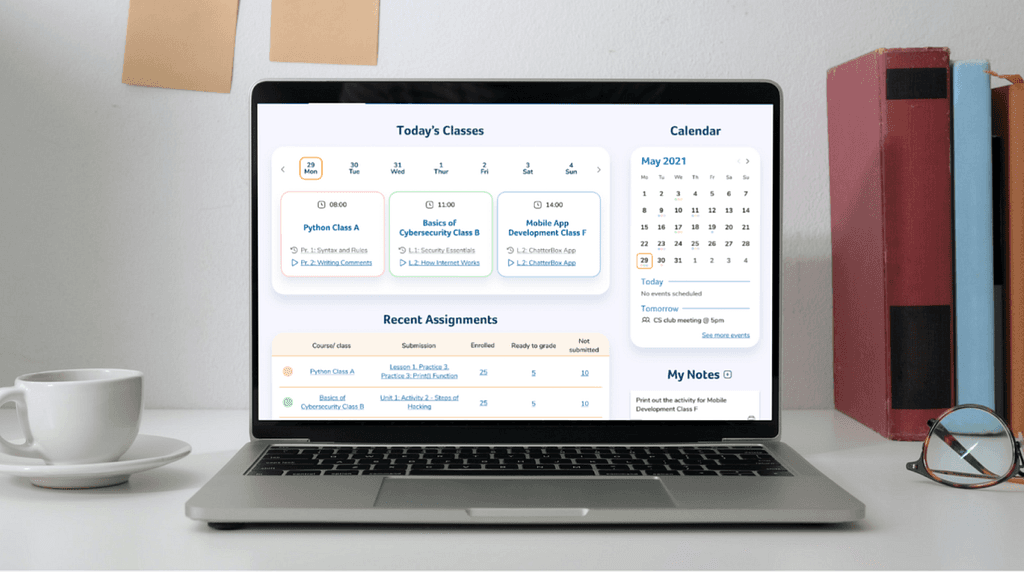
Dashboard redesign for an edtech platform focused on improving teachers’ workflows and task visibility
Project overview
Client
Rex Academy — a technology education platform helping K-12 teachers deliver Computer Science courses.
Project scope
Dashboard and core workflow redesign for teachers managing courses, assignments, and student submissions.
Goal
Improve usability and efficiency for teachers by simplifying navigation, reducing cognitive load, and making key teaching tasks easily accessible.
My role & collaboration
Role
UX / Product Designer (Dashboard focus)
Responsibilities
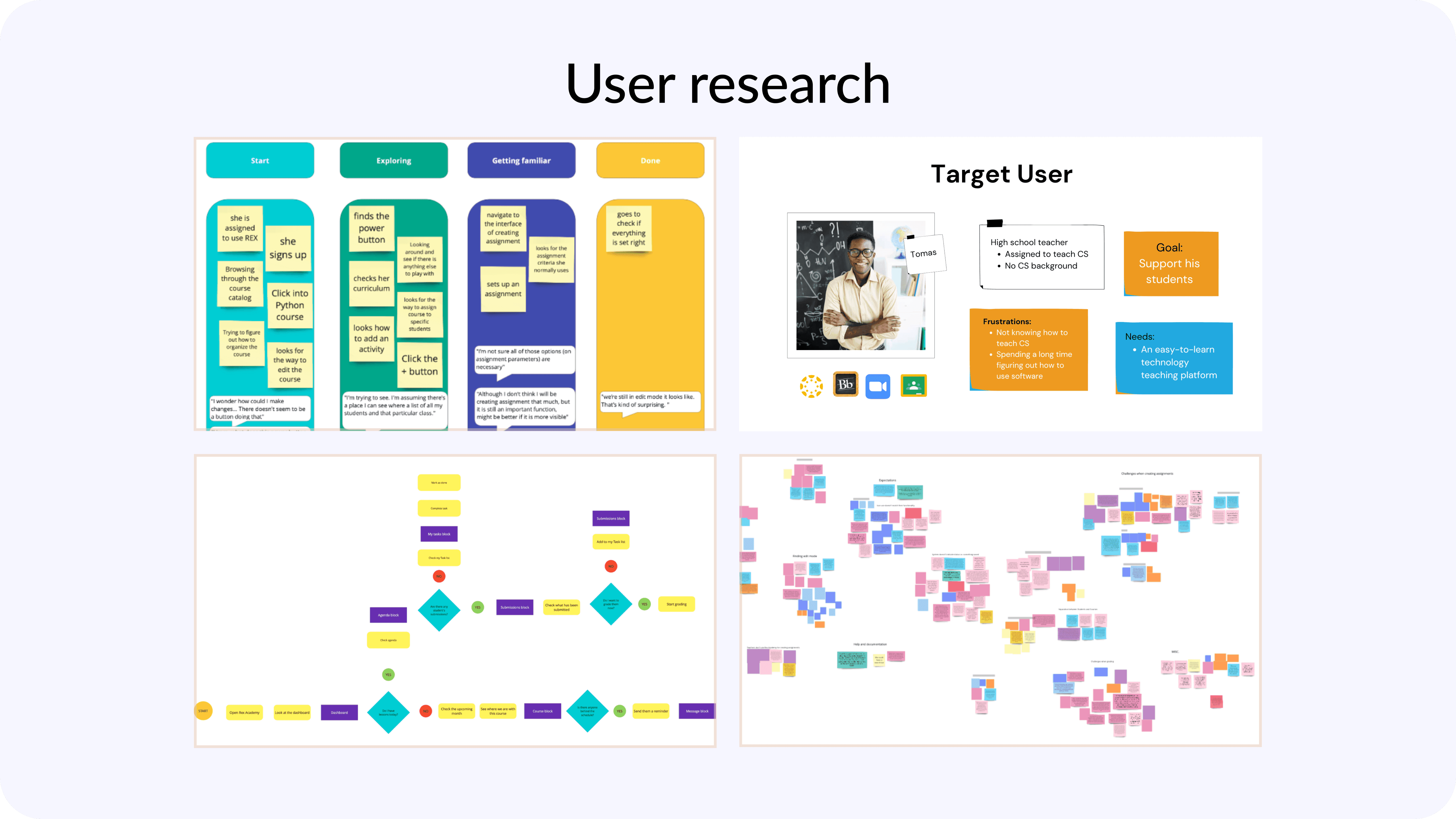
Contributed to research synthesis and problem framing
Led dashboard redesign from concept to final UI
Conducted card sorting and usability testing
Iterated designs based on user and client feedback
Team
UX Designer
UI Designer
Distributed product team
Timeline
8 weeks (part-time)
Process
Challenges
Different user backgrounds
The platform served two distinct user groups:
coders without teaching experience
certified teachers without coding experience
Balancing their needs required careful prioritization.
Non-intuitive navigation
Teachers struggled to locate frequently used features due to unclear structure, inconsistent icons, and hidden functionality.
Inefficient grading flow
Accessing student submissions required multiple steps, making grading time-consuming and frustrating.
Information overload
The dashboard attempted to surface too much information at once, increasing cognitive load.
Design solutions
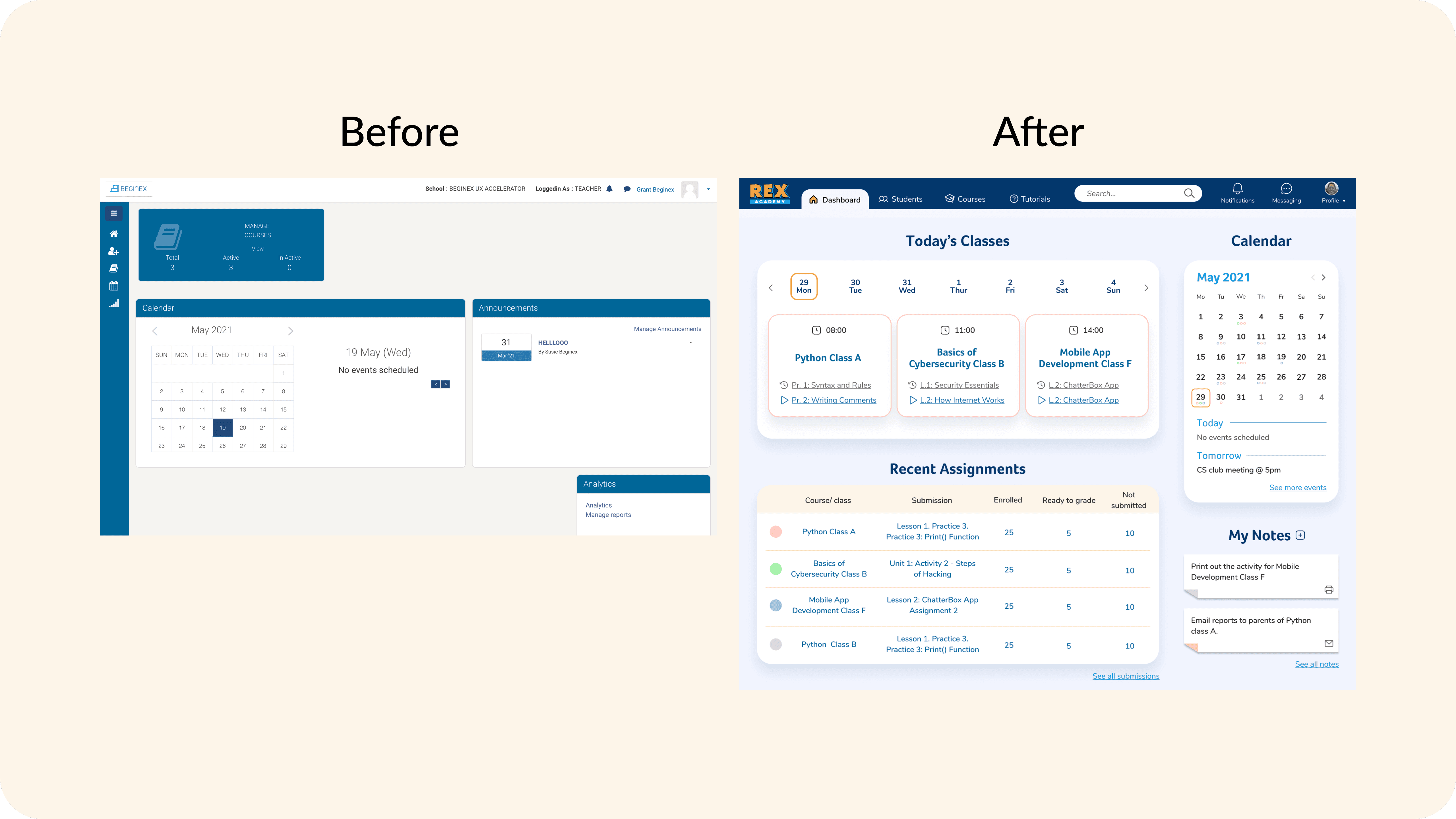
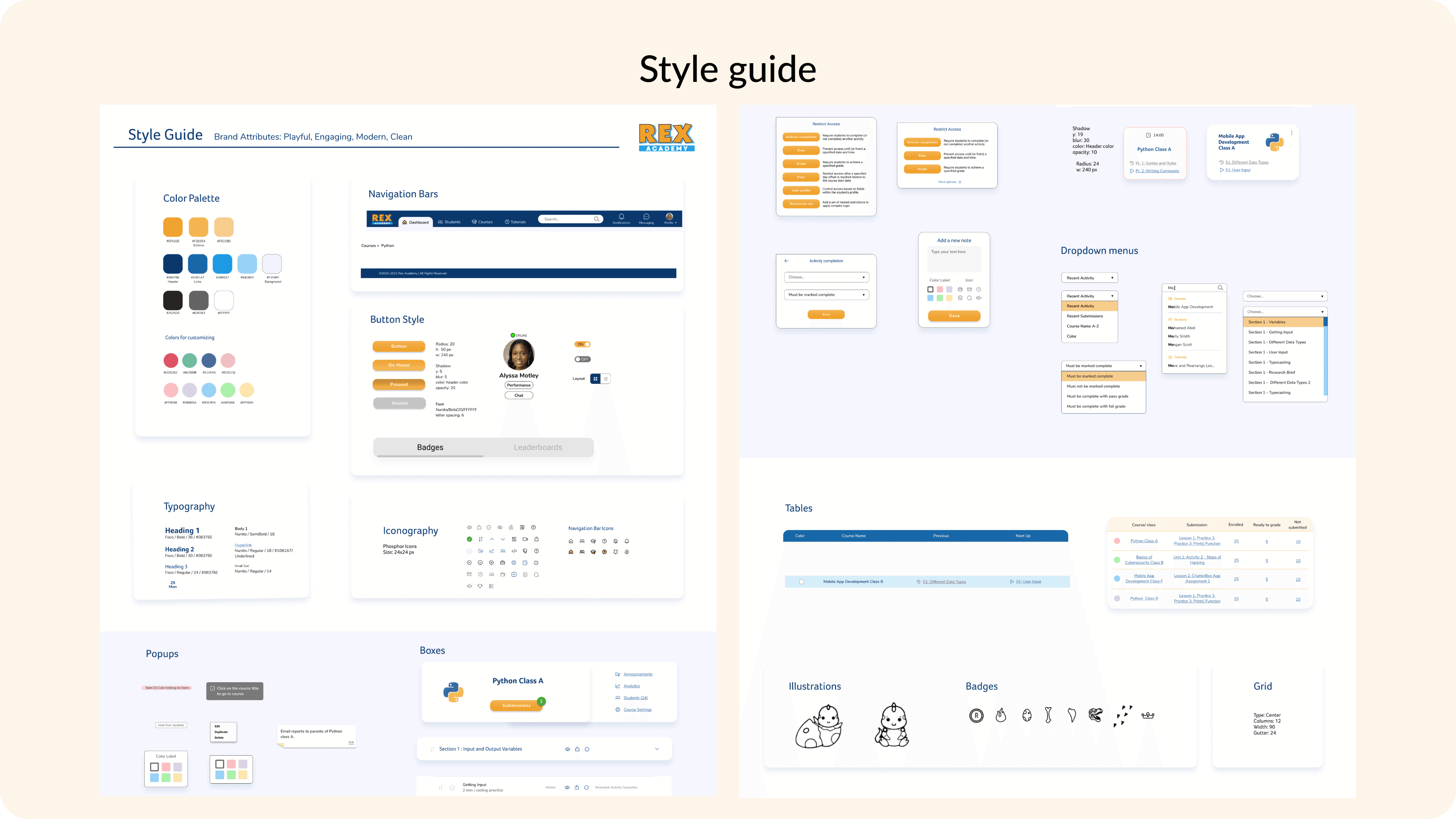
Simplified and recognizable navigation
Reworked navigation patterns and icon usage to align with teachers’ mental models and reduce confusion.
Dashboard-first workflow design
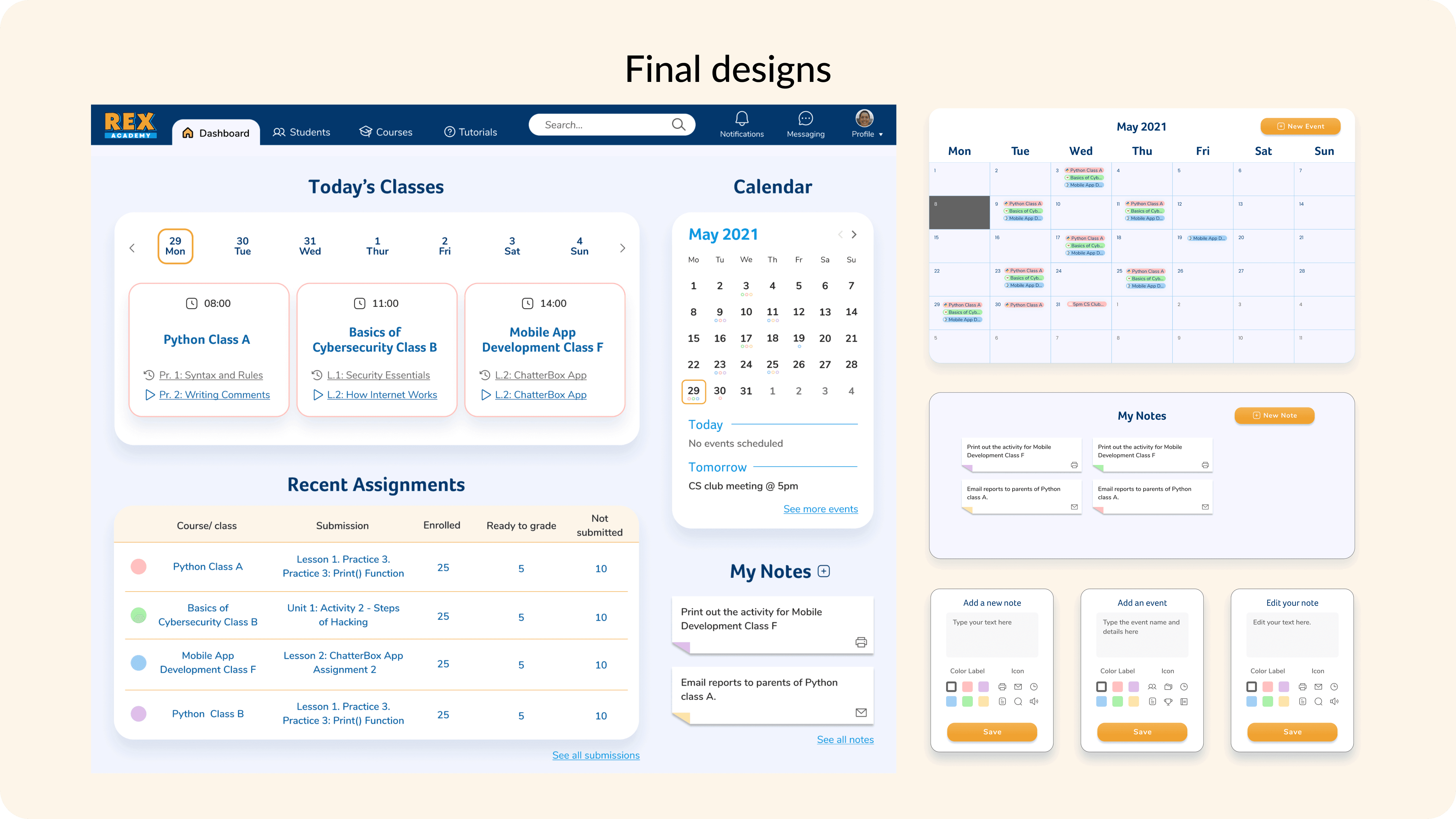
Redesigned the dashboard to surface the most frequently used actions — grading, submissions, course updates — directly on the home screen.
Prioritized content structure
Used card sorting to understand how teachers group information and which elements should be immediately visible.
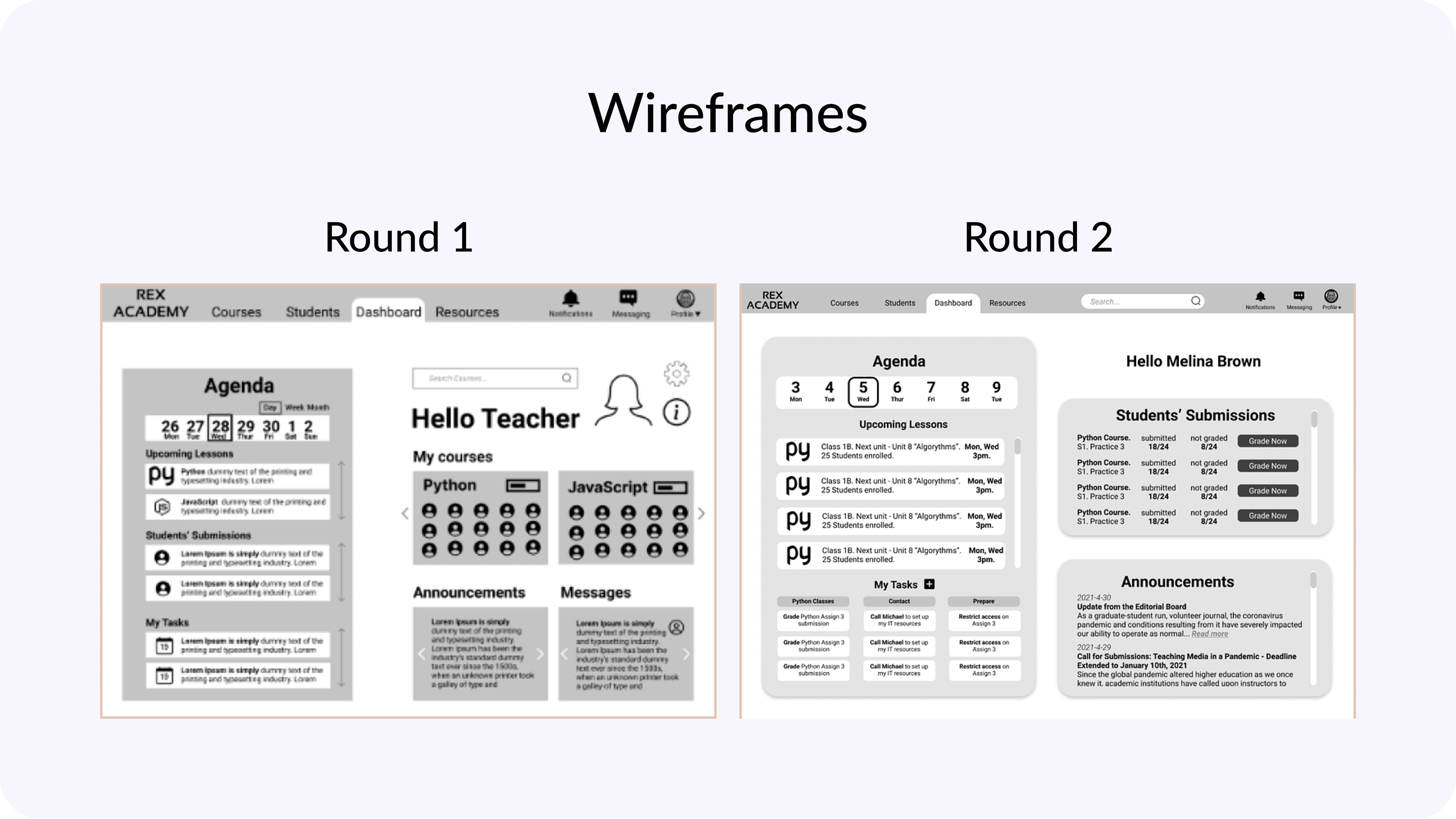
Iterative refinement through testing
Multiple iterations were tested and refined after feedback showed early versions were too crowded.
Results
Outcomes & impact
Improved grading efficiency
Teachers could view all submissions for a lesson in one step, instead of navigating through multiple screens.
Clearer task visibility
The dashboard provided quick insights into:
class activity
homework completion
upcoming lessons
grading status
Positive user feedback
Teachers described the interface as:
“clean and compact”
easier to prioritize tasks
helpful for planning upcoming lessons
The client expressed strong satisfaction with the final dashboard design and overall usability improvements.
Key learnings & future steps
Prioritization over perfection
With limited time and resources, focusing on high-impact areas was essential to delivering meaningful improvements.
Designing for real workflows
Understanding how teachers structure their work around students directly shaped the dashboard layout and content hierarchy.
Future improvements
If continued, next steps would include:
heatmaps and screen recordings to validate tool placement
further optimization of secondary workflows based on usage data