Nikko Asset Management - Design System
Built and evolved a scalable Figma design system across six regional websites, using reusable components, Auto Layout, design tokens and documentation to improve consistency and design-to-development collaboration.
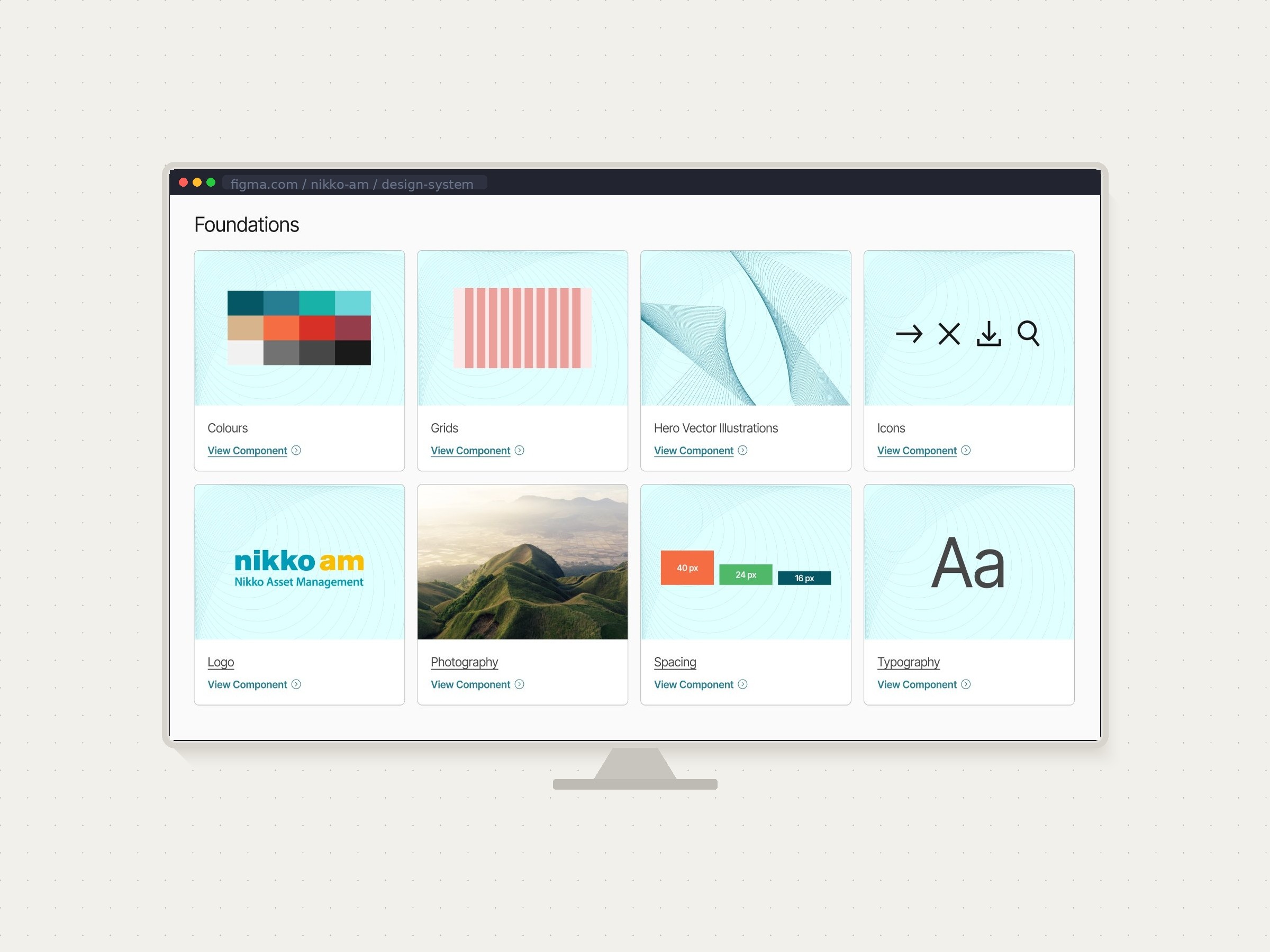
Project overview
Context & Problem
Nikko Asset Management's digital presence had grown organically over a decade — six regional websites, built at different times, by different teams, with different conventions. When a major redesign was approved, the brief covered three priorities simultaneously: visual refresh, faster time-to-market for investment content, and a meaningful reduction in the site's carbon footprint as part of a broader sustainability repositioning.
We moved fast. Design and development ran in parallel, and by the time the first release shipped, the cracks were showing: duplicate components with subtle, unintentional variations, HEX values hardcoded instead of referenced from styles (some of which weren't even the correct brand colours), and a recurring pattern where something would look right in Figma and land wrong in staging. Designers and marketing would catch it in UAT, developers would fix it, and the cycle would repeat.
The rework wasn't anyone's fault — it was a systems problem.
No one had stepped back to build the foundation before building the house.
My role & collaboration
After the first release, I led a retrospective with the team. The patterns were clear: inconsistency, rework, and a growing gap between design intent and what was actually being built. I made the case for a design system — not as a nice-to-have, but as the fix for a problem that was already costing us time on every release.
I secured budget for a shared Figma training so that myself, a fellow designer, and our front-end developer were working from the same mental model. From there I led the system's structure and governance, my fellow designer helped clean up and rebuild components, and our developer provided feedback on the architecture and implemented the token structure in code. I also owned documentation and rollout — including building a drag-and-drop page builder for the marketing team within our CMS and running a teach-in session so they could ship campaign pages independently.
Process
→ Audit first
Before touching a single component, I audited both the live site and the Figma files. What I found:
Colour was the most urgent problem. Dozens of instances used hardcoded HEX values instead of colour styles — and some of those values were incorrect, not even matching our brand palette. The site had also just launched dark and light modes, and Figma had just released variables. The timing was fortunate: switching from colour styles to variables meant we could build a proper semantic token layer that aligned directly with how the developers were structuring things in code. Designing a new page that needed to work in both modes went from requiring six separate frames to a single frame with a mode toggle. Roughly ten times faster.
Component sprawl was the second problem. A content block with an image left and text right could appear in twenty slightly different forms — different font sizes, slightly different spacing — not by design decision, but by drift. We audited every component, identified which variations were intentional and worth keeping, and consolidated the rest. Twenty variations of the same block became one component with properly defined variants. Eighty button variations became twelve.
→ What we prioritised first
We followed a loose atomic design hierarchy: colour and typography tokens first, then high-frequency components like buttons and text blocks, then composite components, and finally the one-off elements used only once or twice across the whole system. Starting with tokens meant that every component built afterwards inherited the right values automatically.
→ Collaboration rhythm
I structured the process around biweekly reviews: we'd check progress, resolve any structural questions, and align on the next sprint. Naming conventions were a recurring conversation — we defaulted to matching what already existed in code, and when something was ambiguous we'd get on a quick call to agree rather than let each person decide independently. Once the system was complete, I ran a session with the broader development team to walk through how everything was now organised and what had changed.
→ Structure & documentation
The Figma file was organised alphabetically within three tiers roughly following atomic design principles. Documentation lived inside Figma — annotations on components, usage guidance on each page. For the marketing team I also wrote a plain-language manual and ran a hands-on teach-in covering the drag-and-drop builder we'd created within the CMS.
Results
Key Decisions
1. Variables over colour styles for dark/light mode When Figma launched variables we made the switch immediately. Building a semantic token layer — with names like surface/primary rather than raw colour values — meant that dark and light mode weren't two separate design tracks. One component, one frame, one toggle. This decision alone had the biggest impact on design velocity going forward.
2. Consolidation over preservation The temptation in a design system audit is to keep everything and just organise it. We made a deliberate choice to ask: is this variation intentional, and does it need to exist? Most of the time the answer was no. Fewer components, maintained properly, are worth more than a comprehensive library that drifts again within six months.
3. Gradual alignment to protect the live site Rather than a big-bang migration, we aligned design and code incrementally — one component family at a time. This meant the live site was never at risk, and developers could integrate the system into their workflow progressively rather than absorbing a complete overhaul at once.
Outcomes
44 → 12 button variants — through variables and proper state management
Zero UAT comments on visual inconsistencies in the second release, compared to recurring rework in the first
Marketing team shipped their first campaign page in under a day, with no design or development support
Design-to-staging accuracy improved significantly — developers confirmed that building with the system was meaningfully faster and required less back-and-forth
All developers adopted the system into their standard workflow following the handoff session
What I'd Do Differently
Running design and development in parallel under time pressure is sometimes unavoidable. But if I could go back, I'd advocate for at least two weeks of token and component foundation work before the first page was built. The cost of retrofitting a system is higher than the cost of building one upfront — that's now something I make the case for at the start of every project.