Rex Academy — Teacher Workflow Redesign
How card sorting and usability testing simplified a dashboard for K-12 educators managing CS courses
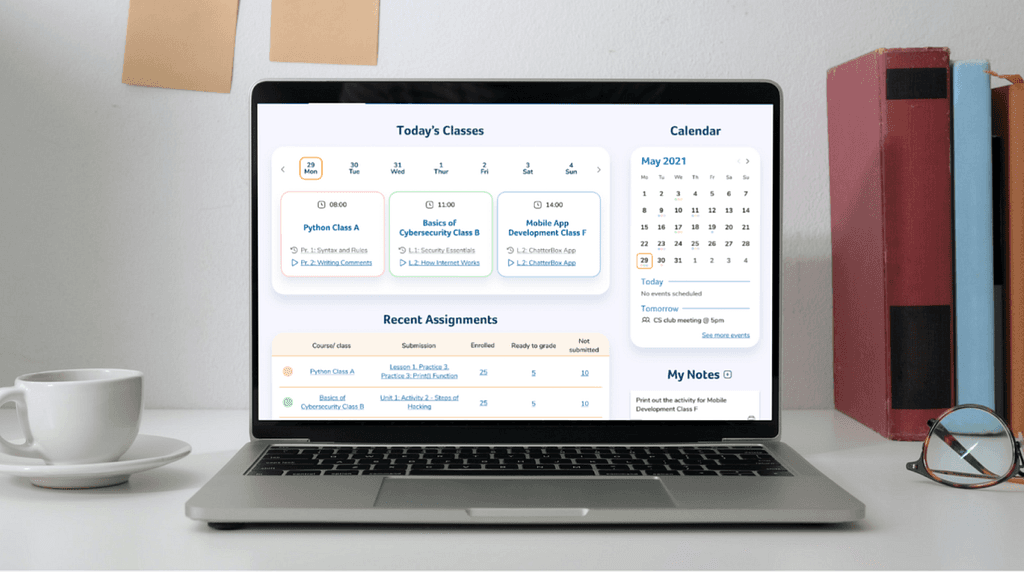
Project overview
Client
Rex Academy — a technology education platform helping K-12 teachers deliver Computer Science courses in a fun and engaging way.
Project scope
Dashboard and core workflow redesign for teachers managing courses, assignments, and student submissions.
Goal
Reduce friction in teachers' daily workflows by simplifying navigation, surfacing key actions from a single screen, and making the platform intuitive for educators with no CS background.
My role & collaboration
Role
UX / Product Designer (Dashboard focus)
Responsibilities
Contributed to research synthesis and problem framing
Led dashboard redesign from concept to final UI
Conducted card sorting and usability testing
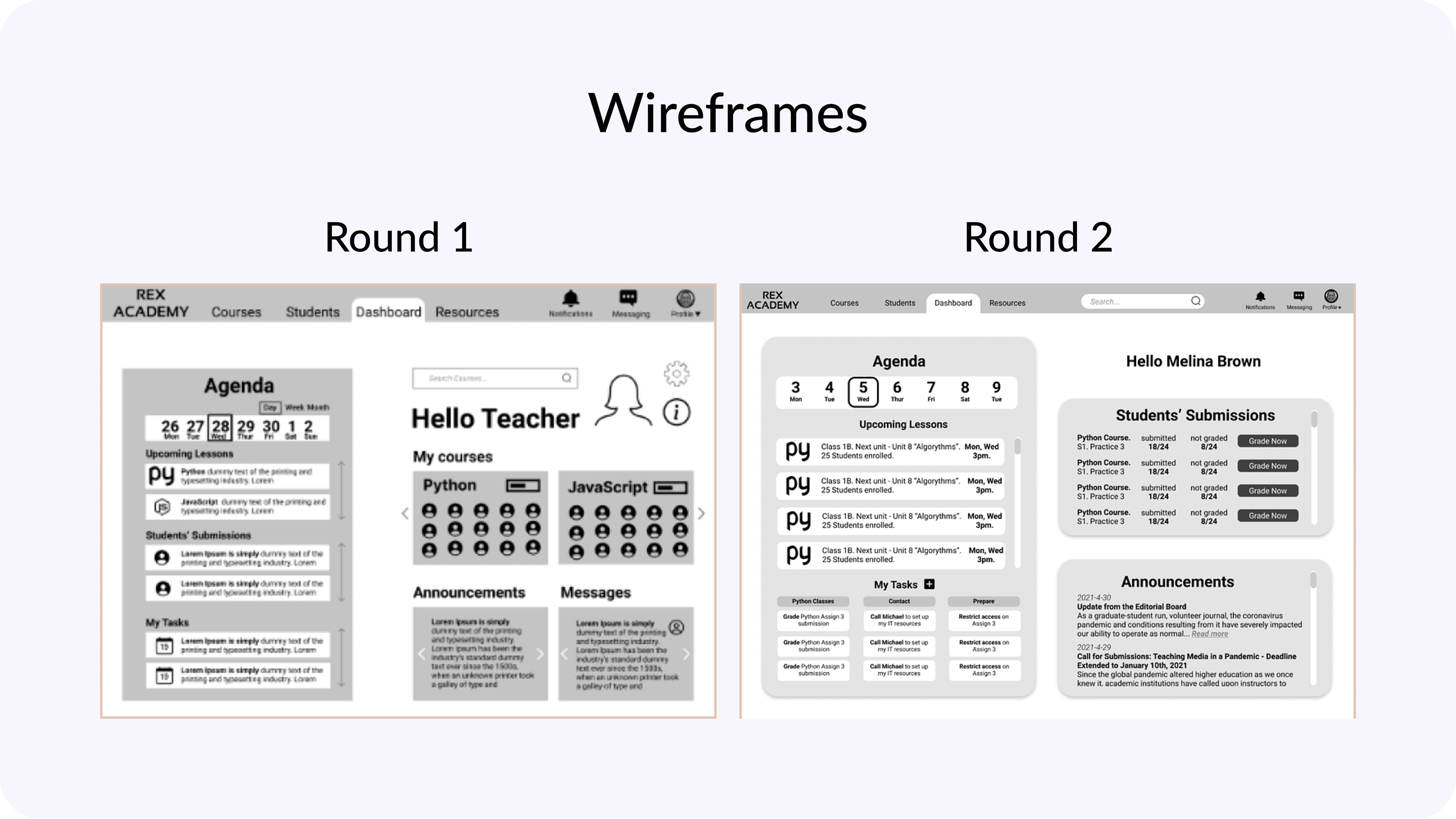
Iterated designs based on user and stakeholder feedback
Team
UX Designer
UI Designer
Distributed product team
Timeline
8 weeks (part-time)
Process
Challenges
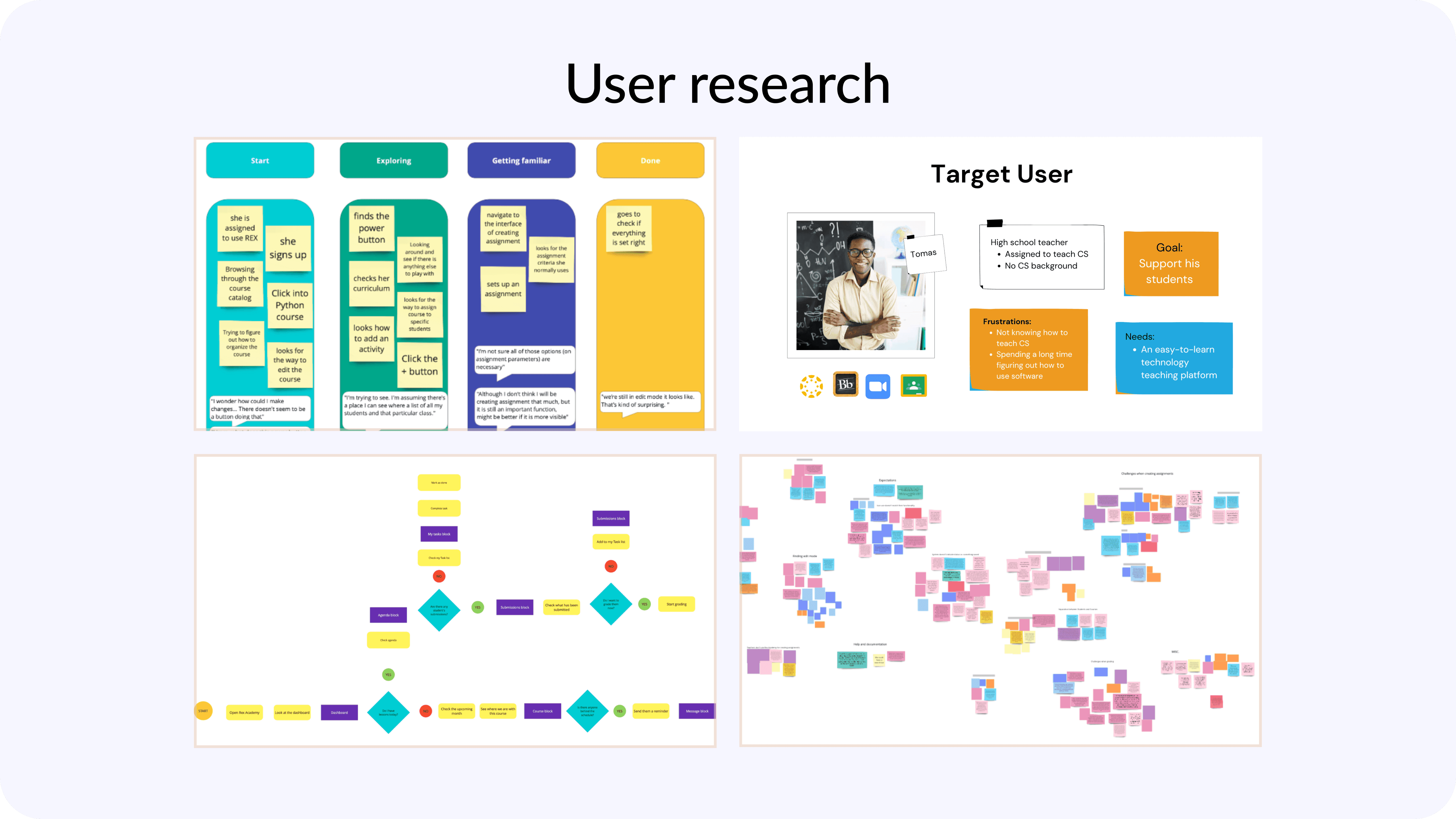
Two very different user types The platform served teachers who were either coders with no teaching experience, or certified teachers with no coding background. Tomas — our primary persona — was a high school teacher assigned to teach CS with no prior CS knowledge. His core frustration: spending too long figuring out the software instead of focusing on his students.
Non-intuitive navigation Teachers struggled to find frequently used features. Icons were unclear, navigation labels didn't match their mental models, and key functions were buried under multiple layers.
Inefficient grading flow Accessing student submissions required 4 separate steps: sign in, navigate to Manage Courses, open a specific course, then open a specific assignment. For teachers grading daily, this added up to significant wasted time.
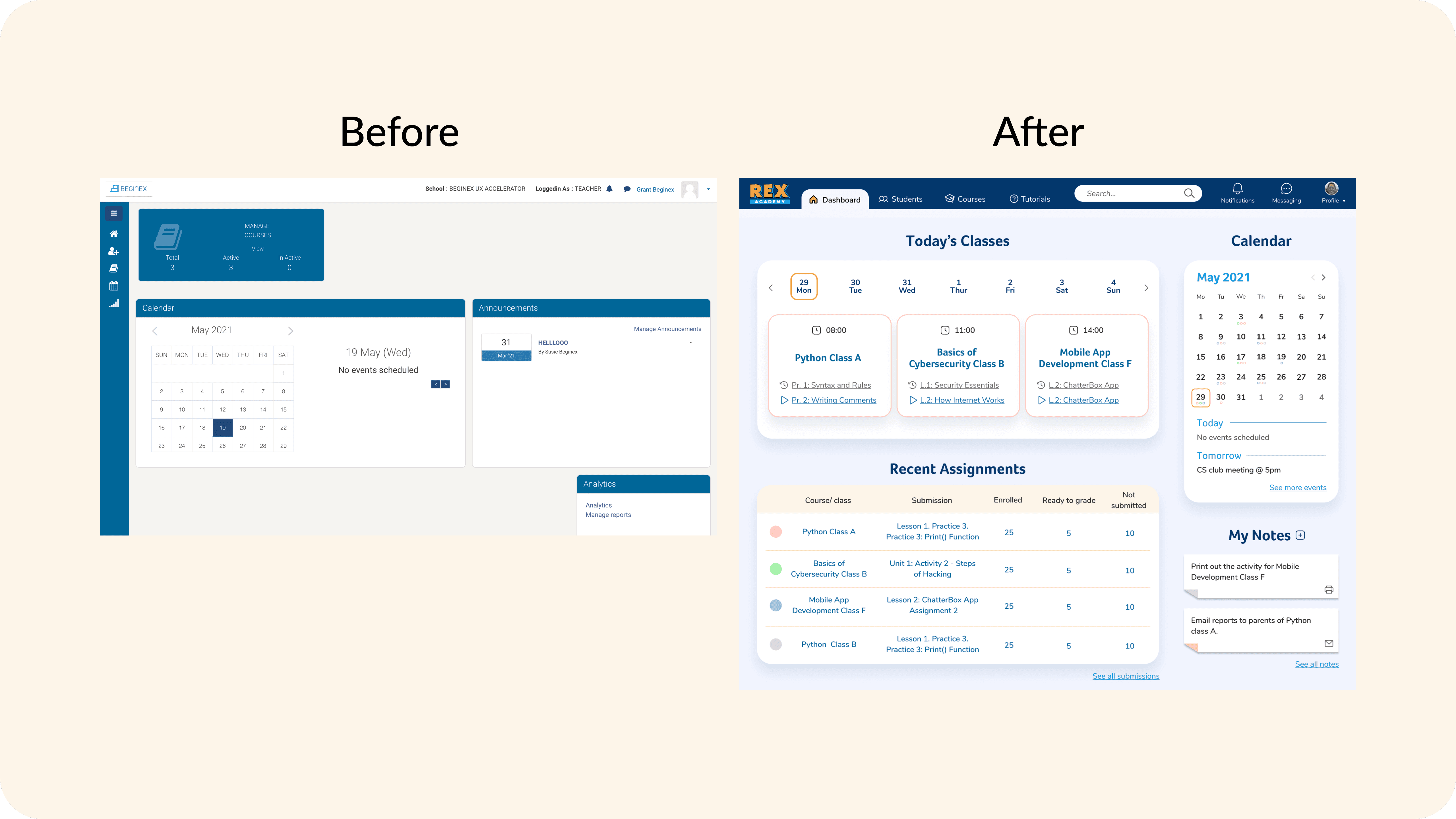
Information overload on the dashboard The original dashboard showed a calendar and announcements — but not the things teachers actually needed first: what's happening today, what needs grading, where they left off last class.
Design approach & solutions
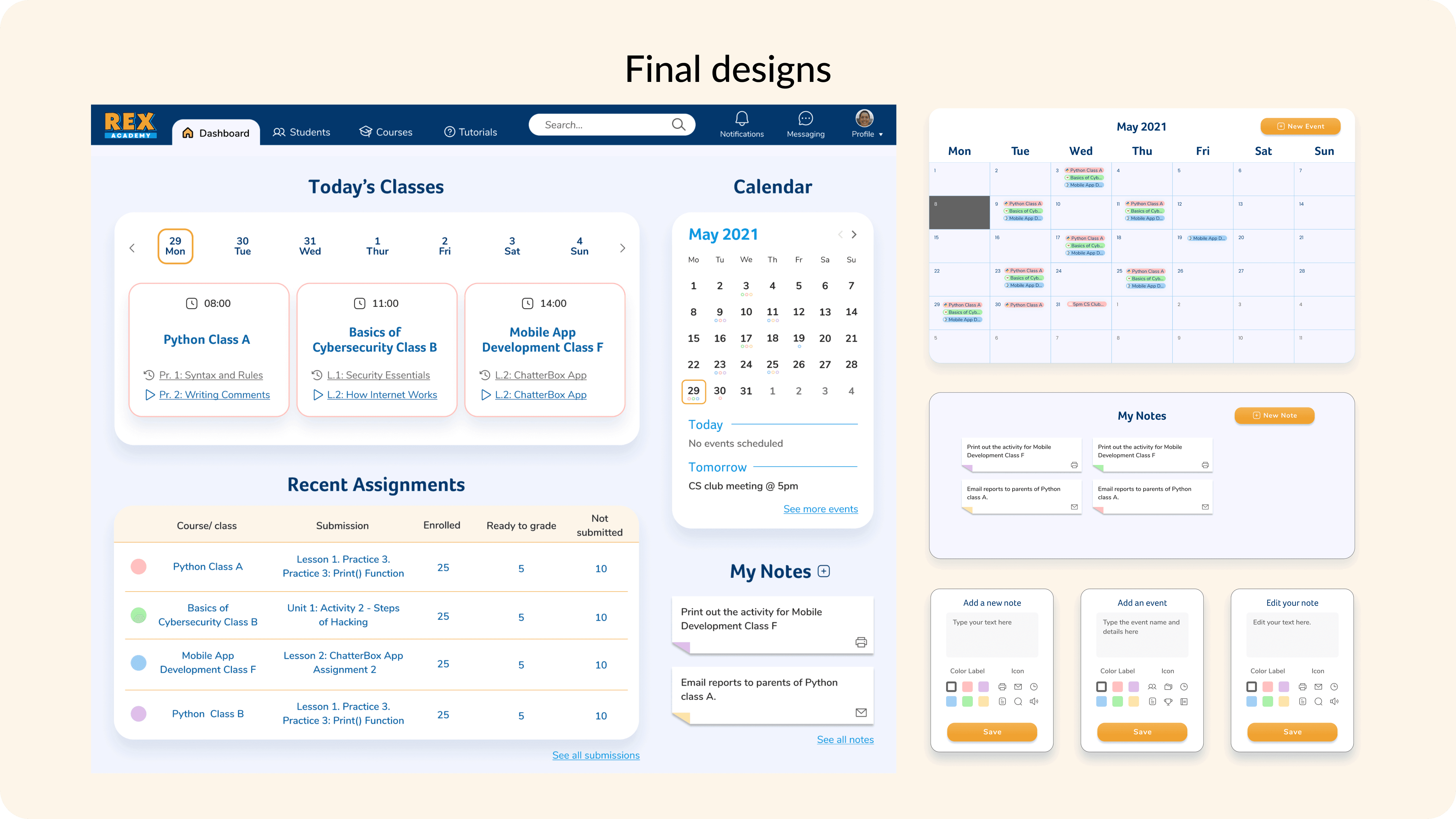
Dashboard-first workflow Redesigned the dashboard to immediately surface the three things teachers needed most: today's classes with lesson continuity, recent assignments with grading status, and a calendar. Teachers could now see everything needed to start their day from a single screen.
Submissions in one step The redesigned dashboard included a Recent Assignments table showing enrolled students, submissions ready to grade, and unsubmitted work — all visible at a glance. What previously required 4 navigation steps now required one.
Reworked course navigation Card sorting revealed teachers expected the entire course card to be clickable — not just the title link. 100% of usability testing participants tried to click the full card and failed. The redesign made the entire block interactive, matching users' mental models. The new layout also increased courses visible at once from 4 (original) to 6 in grid view and 11 in list view, reducing the need to scroll and search.
Lesson continuity Research showed most teachers tried to resume teaching where they left off, but the original platform gave no indication of progress or next steps. The redesigned course cards surfaced the previous and next lesson directly, eliminating the need to dig into individual courses to reorient.
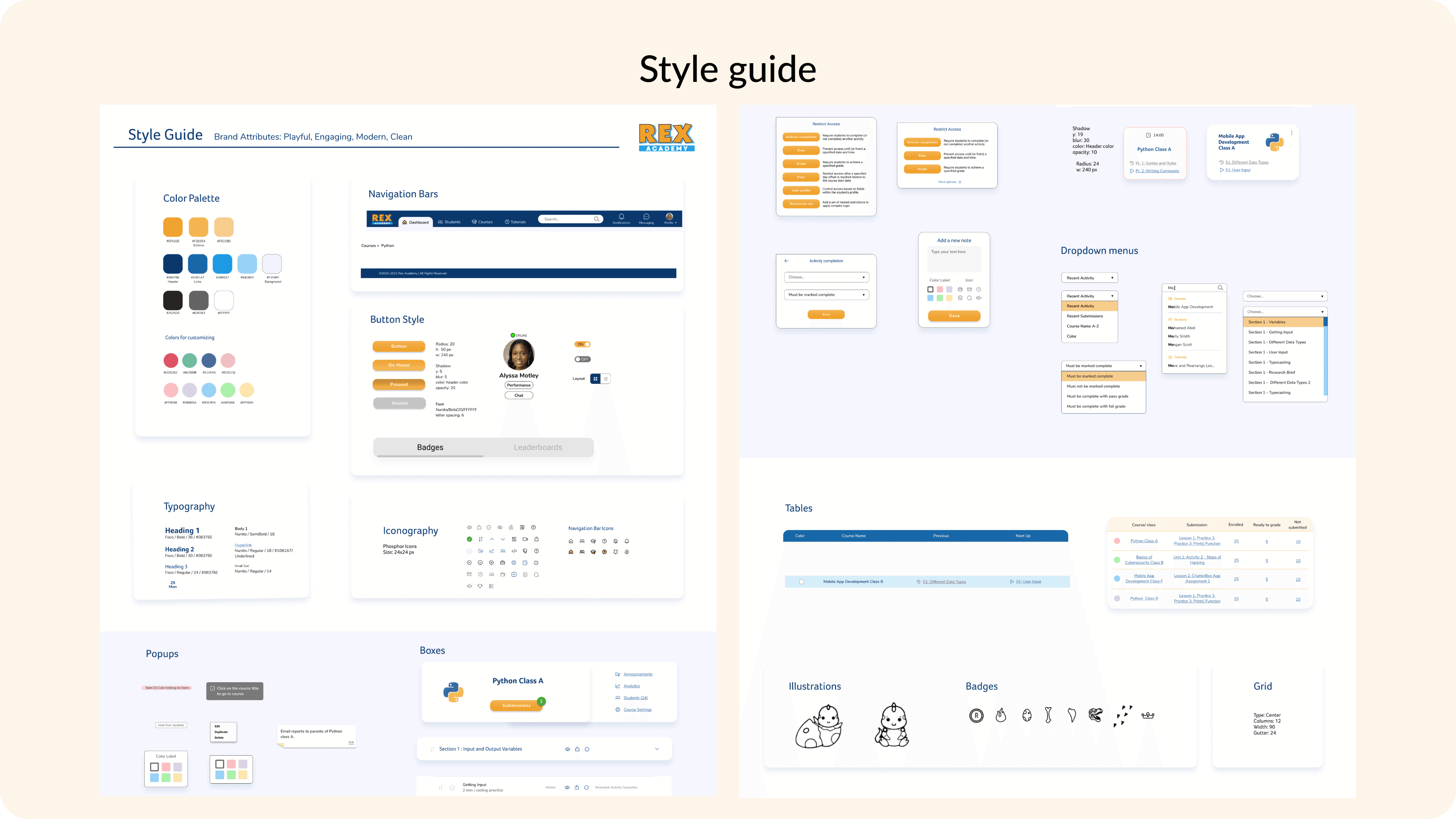
Recognizable icons and clearer labels Navigation icons were replaced with standard, recognisable patterns. Actions like restrict access, visibility, and edit were relabelled and given consistent iconography, reducing confusion during task completion.
Color coding and layout flexibility In response to direct user feedback ("If I could colour code my lessons, that would help me sort data visually"), the redesign introduced colour labels for course cards and a toggle between grid and list layouts, giving teachers control over how they scan their workload.
Results
Outcomes & impact
Grading efficiency Accessing student submissions was reduced from 4 steps to 1. Teachers could view all submissions, grading status, and outstanding work directly from the dashboard without navigating into individual courses.
Content visibility The redesigned course view increased visible courses from 4 (original layout) to 6 in grid view and 11 in list view — giving teachers faster orientation across their full workload without additional navigation.
Navigation accuracy 100% of usability testing participants expected the full course card to be clickable. The original platform only made the title link active. The redesign resolved this by making the entire card interactive, eliminating a consistent point of failure.
User validation Testing confirmed teachers could plan upcoming lessons, track grading status, and resume where they left off — all from the dashboard. Representative feedback:
"Showing where they finished last and where they are doing next — that's pretty cool."
"I would like to know what I'm doing in the next couple of days. So that's great."
"Everything's kind of clean and compact. It looks pretty good."
The client expressed strong satisfaction with the final dashboard design and the overall direction of the workflow improvements.
Key learnings & future steps
Designing for real workflows, not assumed ones The original dashboard prioritised announcements and a calendar — not because teachers asked for them, but because they were available. Research showed teachers actually needed grading status, lesson continuity, and class activity front and centre. The biggest design decisions came from questioning what was already there, not just improving it.
Specificity over completeness With an 8-week part-time timeline, attempting to redesign everything would have produced nothing substantial. Focusing on the highest-friction workflows — submissions, course navigation, dashboard orientation — produced the clearest improvements and the most useful testing signal.
Future improvements If continued, next steps would include heatmaps and screen recordings to validate tool placement in production, further optimisation of secondary workflows based on usage data, and testing the colour-coding system with a larger group of teachers across different school contexts.